
Declutter your photos with a swipe.
Clean up your photo library in minutes. Swipe left to mark photos for deletion, swipe right to keep them. No accounts, no uploads, just speed.
Recents
3 of 4,214

MAR 20, 2026 · 5:13 AM
See it in action.
Real screenshots from the app.
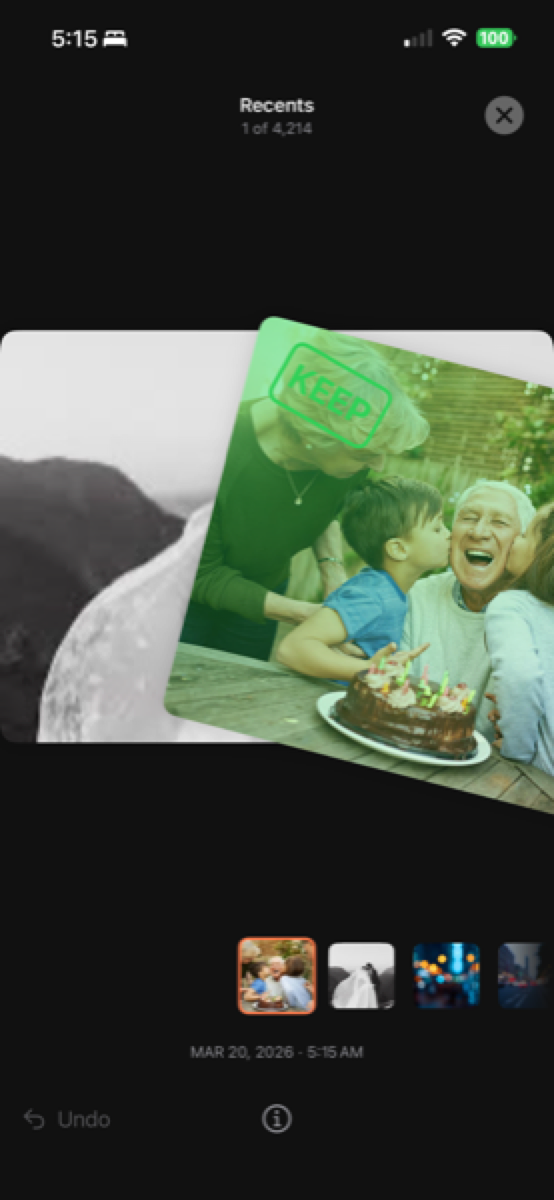
Swipe right to keep
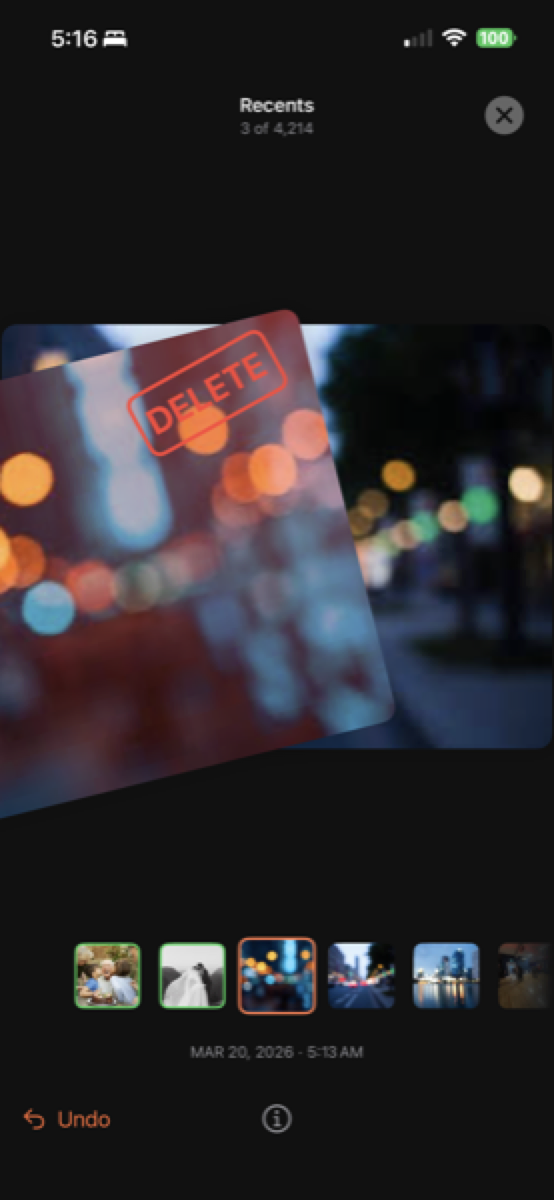
Swipe left to delete
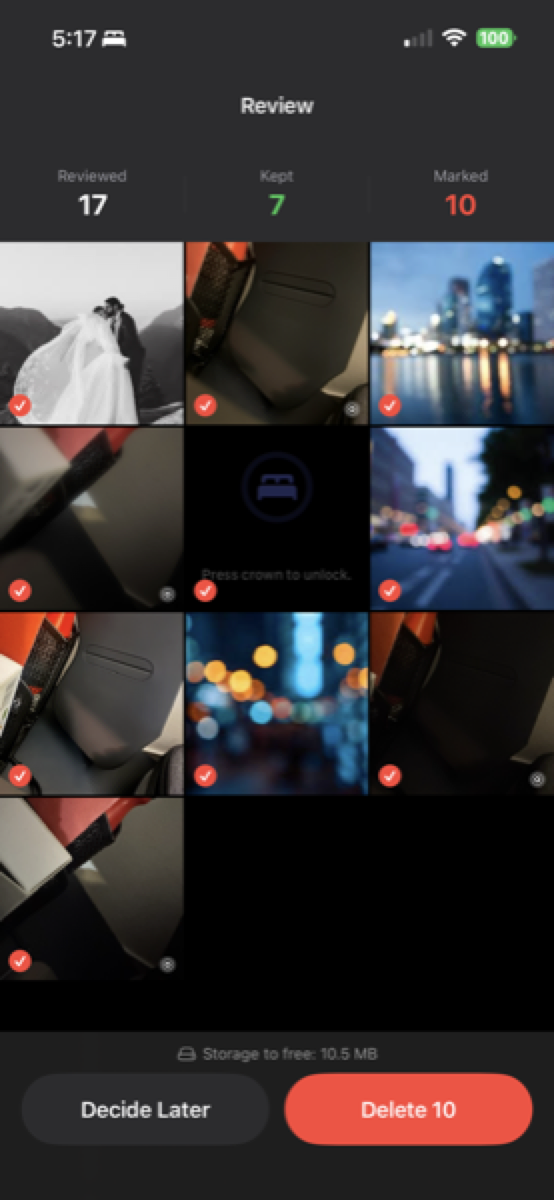
Review before deleting
Designed for speed (and sanity).
Incredible speed
Review hundreds of photos in seconds. It’s the fastest way to declutter your camera roll when you’re short on time.
Privacy-first by design
Your photos never leave your device. PhotoFlick works directly with your library using Apple’s PhotoKit.
Review before delete
Nothing is removed until you confirm. Review your marked photos in a grid, then move them to trash in one tap.
Feels like native
Built exclusively for iOS, PhotoFlick looks and feels right at home next to your system tools.
Three steps to a clean camera roll.
Pick an album
Choose any album — Recents, Selfies, Screenshots, or your own — to start cleaning.
Swipe to decide
Swipe left to mark a photo for deletion, swipe right to keep it. Fast, focused, and surprisingly fun.
Confirm and clean
Review everything you've marked in a grid, then move them to system trash with one tap.
4.5 / 5
App Store rating
50k+
Downloads
App of the Day
Featured by Apple
Loved by people with too many photos.
Perfect for on-the-go photo selection!
Mar 15
As a wedding photographer, I shoot hundreds of shots per event. PhotoFlick lets me swipe-keep keepers right on location — no laptop needed. Saved hours of editing time.
Alex R.
Finally cleaned up 4 years of screenshots
Feb 28
I had 6,000 photos and no idea where to start. Spent 20 minutes with PhotoFlick and got it down to the ones that actually matter. The swipe gesture is so satisfying.
Jamie K.
The review grid before deleting is genius
Mar 2
I was nervous about accidentally deleting something important. The fact that you see everything you marked before anything is removed made me trust it immediately. Love this app.
Morgan T.
Your photos stay on your iPhone.
PhotoFlick processes your images locally on your device using PhotoKit. We don't run our own servers, we don't upload your photos, and we don't sell your data. The app only needs access to your library so you can review, keep, or delete images. You stay in control the entire time.
Read the full Privacy Policy →Questions you might have.
Will PhotoFlick delete photos without asking?
No. You have to explicitly confirm your choices at the end of a session. Even then, photos go to the system 'Recently Deleted' album, where they can be recovered for 30 days.
Do I need an account to use the app?
No accounts, no logins, no email required. Just download and start cleaning.
Does it upload my photos anywhere?
Never. PhotoFlick is strictly on-device. We have no servers to upload your data to.
Which devices are supported?
PhotoFlick is optimized for iPhone running iOS 17.6 or newer.
Simple pricing.
Monthly
Flexible, cancel anytime
Billed monthly
- Unlimited swipe sessions
- Review before deleting
- Resume paused sessions
- Works with every album
- Completely on-device, private
- Undo any swipe decision
Annual
Best value — save 58%
$49.99 billed annuallySave $69.89 vs monthly
- Unlimited swipe sessions
- Review before deleting
- Resume paused sessions
- Works with every album
- Completely on-device, private
- Undo any swipe decision
Cancel anytime. No questions asked.
Ready to clean up your photos?
Plans from $4.16/mo. Takes less than a minute to get started.